




Upcoming
Get ready for your VAT return!
Also Feb 17 • 10:00 AM
 Presented by Michael Sværke Johnson & Stefan Ravn Hansen (Consultants)

Log in to Zenegy
 Are you an employee?If you're paid through Zenegy, you log in to Payroll. You don't need to create a company.

Payroll
Log in to PayrollCreate company account
Numbers
Log in to NumbersCreate company account
Expense
Log in to ExpenseCreate company account
Time
Log in to TimeContact us about TimeWe're onlineMonday-Friday 9.00-15.00*
Get a free demo of ZenegyWe're onlineMonday-Friday 9.00-15.00*
Create companyNumbers
Numbers sends your invoices, fetches the transactions from your bank and books the ones that recur.
Trustpilot 4.7/5
9,000+ businesses use Zenegy




Features & overview
From the invoice you send, to accounts that balance.
Invoicing
Create the customer from their CVR number, and send the invoice by email or as an EAN invoice. If the customer doesn't pay, you send a reminder from the same list.
Bank
Payments from your bank accounts land in Numbers and are matched with the invoices. Teach Numbers a rule once, and rent and subscriptions are booked automatically.
 Power94%DKK1,180.00
“It's user-friendly, and it all makes sense”
 Kim | Crazy SafetyRead the case: Crazy Safety saves money and gets a clear overview with Zenegy Numbers
VAT
Numbers keeps track of VAT on sales and purchases as you book. You send the VAT return to Skat from Numbers, and approve it there.
Switch to Numbers
We move your chart of accounts, customers and suppliers over to Numbers. With up to five years of history from your most recently closed accounts. It's a paid service. Write to us before you create your agreement.
Reconciliation
A green tick shows that customers, suppliers and VAT match the accounts. A red one doesn't mean something is wrong. Only that it's worth a look.
Accountant
Write to your accountant or a colleague directly on the expense or the payment. Your accountant and bookkeeper get free access.
 Hanne BirkAccountant · 18/09/2026 - 10:42@Jakob Lyng What is the payment of 4,400.00?
 Jakob LyngManaging director · 18/09/2026 - 11:05It's the rent for the window desk we sublet. The contract is attached.Sublet-agreement.pdfHanne BirkAccountant · 18/09/2026 - 11:12Thanks! I'll make a rule that posts it by itself every month.
Company cards
Every payment with the company card becomes an expense with the supplier and the amount. Whether a payment finds its employee by itself depends on your bank.
 Coop18/09/2026DKK148.00
 DAO17/09/2026DKK1,240.00DHDataskyen Hosting ApS15/09/2026DKK2,495.00
Expenses in Numbers
Supplier invoices, card expenses and out-of-pocket expenses are in one list, from open to posted. Employees register out-of-pocket expenses in the app, and it's all booked in Numbers.
 CoopLunch, team meetingCard expense18/09/2026Open2960Andre personaleomkostningerDKK148.00DKK0.00DAOCourier, week 38Card expense17/09/2026Open1830FragtomkostningerDKK1,240.00DKK248.00
 BillettoJonas Holm · conference ticketEmployee claim14/09/2026In review41%2520KursusudgifterDKK2,000.00DKK400.00
 ISSCleaning, AugustInvoice09/09/2026Approved93%2150Rengøring og renovation (affaldshåndtering)DKK2,487.50DKK497.50
 VistaprintPosters, exhibitionInvoice02/09/2026Booked95%1870Udstillinger og dekorationDKK3,240.00DKK648.00
Receipts
Suppliers send the invoice to your company's own email address in Numbers, and you take a picture of receipts in the app. With the scan switched on, Numbers reads the date, the amount and the supplier, and a percentage shows which receipts you should look at. The scan is included in the price.
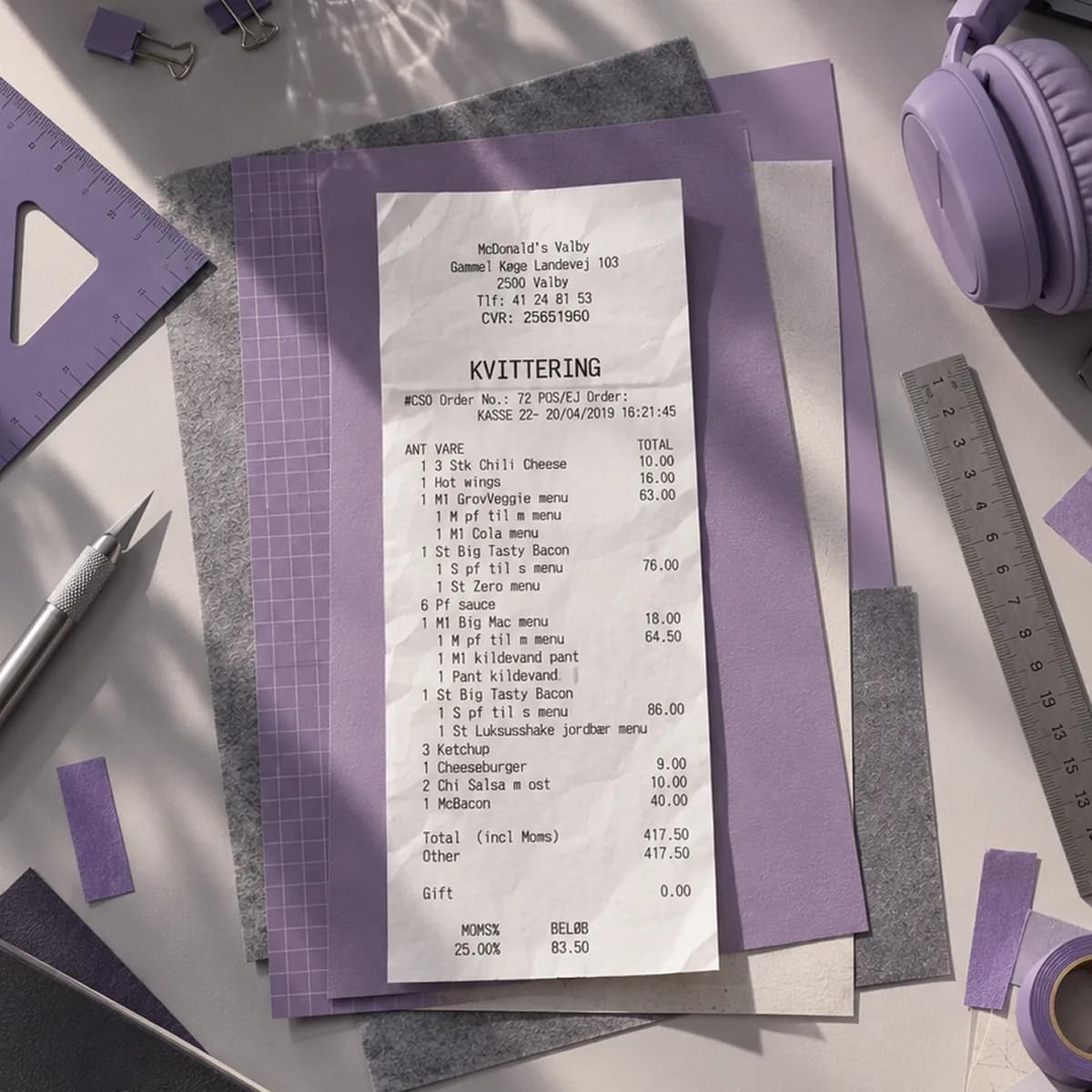
 McDonald's Valby
“I probably save an hour a day because all the systems talk to each other and I only have to close in one place.”
 Sandie Fortner | Co-owner, Robust StyrkeRead the case: Robust Styrke saves an hour a day with all its finances in one system
Numbers works with the systems you already use. And if one is missing, Numbers has an open API.
See all integrationsThe plan follows your size: how many of you there are, how many expense documents you have and how much you invoice. Dimensions and flexible approvals start at Growth, and if you go over a limit, Zenegy moves you up to the next plan automatically. Need payroll too? Payroll runs in the same system for DKK 27 per payslip, with no extra subscription. All prices exclude VAT.
| Micro | Startup | Growth | Established | |
|---|---|---|---|---|
| Price | DKK 49/month | DKK 299/month | DKK 499/month | DKK 999/month |
| Get started | Get started | Get started | Get started | |
| Users and employeesUsers in Numbers and employees on the payroll both count. | Up to 3 | Up to 10 | Up to 20 | Over 20 |
| Expense documents a yearThe number of expense documents the plan includes a year. | Up to 50 | Up to 500 | Up to 1,000 | 2,500 includedThen DKK 2 per document |
| TurnoverWhat you invoice from Numbers in the calendar year counts. Micro is made for holding companies. | Under DKK 100,000 | Unlimited | Unlimited | Unlimited |
| Financial dimensionsAllocate costs to department, cost centre, employee, project and profit centre, independently of the chart of accounts. | Not included | Not included | Included | Included |
| AccrualsSpread a cost or income over the months it covers, such as a quarter's rent. | Included | Included | Included | Included |
| Flexible approval rulesRules for who approves which expenses. They're included in the price. | Not included | Not included | Included | Included |
| Approving expenses in the appApprovers approve expenses directly in the employee app. | Not included | Not included | Included | Included |
| Micro | Startup | Growth | Established | |
|---|---|---|---|---|
| Sales | ||||
| Send invoices | Included | Included | Included | Included |
| Ad-free invoices | Included | Included | Included | Included |
| Electronic invoicing | Included | Included | Included | Included |
| Attachments to invoices | Included | Included | Included | Included |
| Quotes and orders | Included | Included | Included | Included |
| Reminders | Included | Included | Included | Included |
| Full history of sales documents | Included | Included | Included | Included |
| Overview of unpaid and overdue invoices | Included | Included | Included | Included |
| Importing invoice lines | Included | Included | Included | Included |
| Bank | ||||
| Automatic matching and booking of payments | Included | Included | Included | Included |
| Automatic bank reconciliation | Included | Included | Included | Included |
| Bookkeeping rules | Included | Included | Included | Included |
| Automatic booking | Included | Included | Included | Included |
| Easy currency handling | Included | Included | Included | Included |
| Pay supplier invoicesPay supplier invoices and out-of-pocket expenses straight from Numbers, without switching systems and at no extra charge from Zenegy. It takes a payment integration to your bank: a Bank Connect agreement, or Danske Bank's payment integration if you bank with Danske Bank. | Included | Included | Included | Included |
| Digital receipts | ||||
| Inbox | Included | Included | Included | Included |
| Reading receiptsThe scan reads the date, amount and supplier, and it's included in the price. | Included | Included | Included | Included |
| Send receipts by email | Included | Included | Included | Included |
| Upload receipts in the app | Included | Included | Included | Included |
| Receive e-invoices on CVR and EAN | Included | Included | Included | Included |
| Expense management | ||||
| Automatic account suggestions | Included | Included | Included | Included |
| Assigning card expenses to employeesCard expenses come from the bank. How much card data comes with them depends on the bank. | Included | Included | Included | Included |
| Automatic attachment of receipts | Included | Included | Included | Included |
| Supplier management (accounts payable) | Included | Included | Included | Included |
| Automatic creation of supplier invoices | Included | Included | Included | Included |
| Employee management | ||||
| Employees' out-of-pocket expenses | Included | Included | Included | Included |
| Settlement with employees through payroll and bankThrough Payroll, or as a file for another payroll system. Through the bank straight from Numbers, with a payment integration to your bank. | Included | Included | Included | Included |
| Reminders about receipts | Included | Included | Included | Included |
| Communication about customers, invoices and expenses | Included | Included | Included | Included |
| Mobile app | ||||
| Employee appThe app for iOS and Android, where employees take pictures of receipts and create out-of-pocket expenses. | Included | Included | Included | Included |
| See all your expenses | Included | Included | Included | Included |
| Upload receipts | Included | Included | Included | Included |
| Create out-of-pocket expenses and purchase invoices | Included | Included | Included | Included |
| Handle your card expenses | Included | Included | Included | Included |
| Communication about expenses | Included | Included | Included | Included |
| Reporting | ||||
| VAT return | Included | Included | Included | Included |
| VAT reconciliation | Included | Included | Included | Included |
| EU B2B sales (reporting)Numbers makes the list of EU sales without VAT as a file you upload to TastSelv Erhverv. | Included | Included | Included | Included |
| Custom reports | Included | Included | Included | Included |
| Trial balance | Included | Included | Included | Included |
| Income statement | Included | Included | Included | Included |
| Customer balance list | Included | Included | Included | Included |
| Customer reconciliation | Included | Included | Included | Included |
| Supplier balance list | Included | Included | Included | Included |
| Supplier reconciliation | Included | Included | Included | Included |
| Sales statistics | Included | Included | Included | Included |
| Purchase statistics | Included | Included | Included | Included |
| General | ||||
| Number of entries | Unlimited | |||
| Easy correction and reversal | Included | Included | Included | Included |
| General ledger | Included | Included | Included | Included |
| Journals | Included | Included | Included | Included |
| Free access for your bookkeeper and accountant | Included | Included | Included | Included |
| Export to Regnskab BasisExport the year's figures to Regnskab Basis, which drafts the annual report. For companies in reporting class B. | Included | Included | Included | Included |
| Chart of accounts with help for employees | Included | Included | Included | Included |
| Dashboard with a quick overview | Included | Included | Included | Included |
| Payroll bookkeeping straight into a journalThe pay run lands in a journal in Numbers with its voucher attached, and you post it. It needs Payroll with AM posting, Zenegy's standard setup. | Included | Included | Included | Included |
| Export of lists, reports and data | Included | Included | Included | Included |
| Open API for integrationsWith the open API, your developers or a partner can connect Numbers to other systems. Access is given on request. | Included | Included | Included | Included |
You create the company yourself and try Numbers free for 14 days. The chart of accounts and VAT codes are set up from the start.
Before you start
Setup
Up and running

You get a free 1-hour onboarding meeting, where we help you on your way. If you'd like help with the setup and with moving data from your old accounting system, we also have a paid start-up course. If you're bringing your data with you, write to us before you create your agreement.
Get started“I was surprised at how easy it was to get started. Zenegy Numbers took me through the process step by step, and it all felt very intuitive”
 Maria Lindholm | Founder, BoligspecialistenRead the case: Boligspecialisten saves 20% of its bookkeeping time with Zenegy Numbers
Upcoming
Also Feb 17 • 10:00 AM
Presented by Michael Sværke Johnson & Stefan Ravn Hansen (Consultants)
Trustpilot 4.7/5
Didn't find the answer?
We're right here.
Hans-Ulrich, Peter or Rune are ready Anders, Lisa and Customer Care are ready
Numbers is the complete accounting software with expense management built in: out-of-pocket expenses, company cards and receipts in every plan, supplier invoices on top, and approvals from Growth. Expense is expense management on its own, for you if you want to keep your current accounting software. It's a product of its own and can also be added to Payroll. See Expense.
Yes. You switch on Payroll in the same account with no extra subscription and pay DKK 27 per payslip on top of the plan. The pay run lands in a journal in Numbers, ready to be booked. See the Full Financial Suite.
Yes. We move your chart of accounts, customers and suppliers over to Numbers, with up to five years of history from your most recently closed accounts. It costs DKK 999. If you're coming from another accounting program, we'll agree the move with you. Write to sales@zenegy.com before you create your agreement.
No. Numbers works with the vast majority of banks in Denmark, and you connect the accounts you have today. See what your bank gives you in Zenegy.
Yes. Numbers works out the VAT as you book and sends the return to Skat. You approve it yourself in Skat, and the receipt lands in Numbers.
Yes. Zenegy Numbers is registered with the Danish Business Authority as a standard digital bookkeeping system under the Danish Bookkeeping Act, registration number fob001731. See the Authority's register (in Danish).
Yes. You send and receive EAN invoices via CVR or EAN/GLN, and invoices to customers in other European countries via Peppol.
Yes, and it's free in every plan. You choose your accountant or bookkeeper in Numbers yourself. We also have certified Zenegy partners who can do the bookkeeping for you.
Create your company and try Numbers free for 14 days, without giving a payment card. Get started here, or see the steps.
Yes. Zenegy complies with the GDPR, your data is stored encrypted, and as an administrator you can switch on two-factor authentication for all users. Every year, an independent auditor reviews Zenegy's IT controls under ISAE 3402. Read more in our Trust Center.
Yes. In Zenegy's Help Center you'll find articles, webinars and videos about Numbers. If you can't find the answer there, our support team is ready on the phone and in the chat every weekday. You can also write to us here.
Certified Zenegy partner
Let one of our certified partners do the bookkeeping, so your accounts are in order all year.
 Let Hans-Ulrich, Peter or Rune show you around.
Zenegy is used by...


Then we'll contact you and show what Zenegy Numbers can do for your business.